| Author |
Message |
 mojaveblueAdvanced Member mojaveblueAdvanced Member
Posts: 143
Joined: 02 May 2010
Location: Southern Cal
|
|
 Posted: Sat Jan 29, 2011 3:43 pm Posted: Sat Jan 29, 2011 3:43 pm |
 |
|
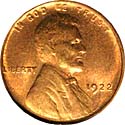
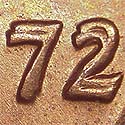
This coin looks exactly like the pic in the Cherry Pickers Guide, (if theirs was more circulated), what do you think?
[img]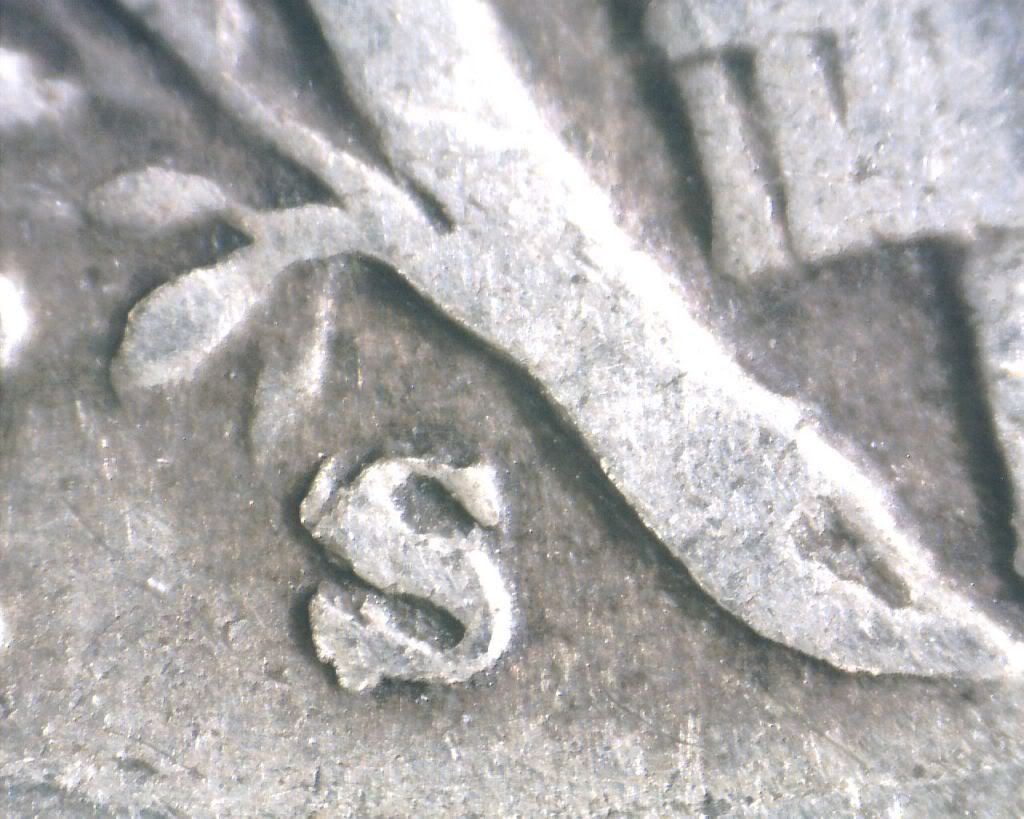
[/img]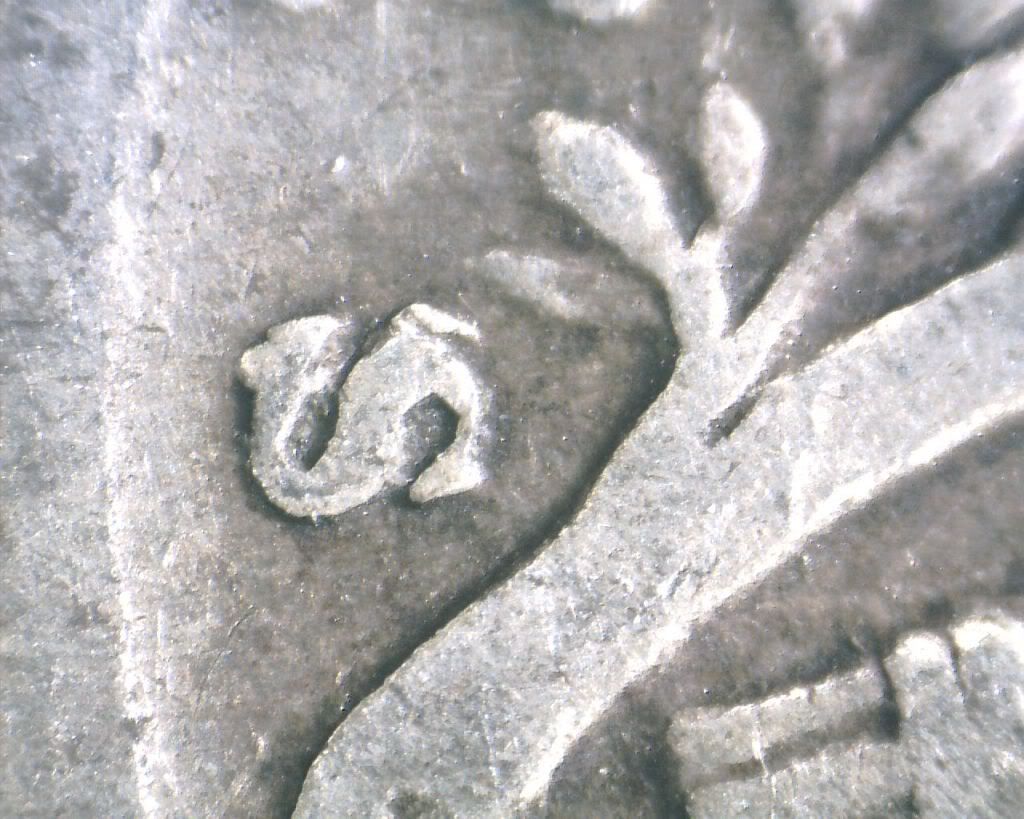
|
|
|
|
|
 |
 eagamesExpert Member eagamesExpert Member
Posts: 3013
Joined: 15 Nov 2005
|
|
| Posted: Sat Jan 29, 2011 4:45 pm |
|
|
Looks like an RPM.
My CPG only covers 1c and 5c so I can't compare it.

_________________
Ed
|
|
|
|
|
|
 DickExpert Member DickExpert Member
Posts: 5780
Joined: 21 Sep 2006
Location: Rialto, CA.
|
|
| Posted: Sat Jan 29, 2011 10:37 pm |
|
|
The Fourth Ed. covers them, and it IS the 501.
Nice find!
Congrats.
_________________
" Deja Moo: The feeling that you've heard this bull before".
|
|
|
|
|
|
 Bob PSite Admin Bob PSite Admin
Posts: 3482
Joined: 01 Jul 2003
Location: Niceville, Florida
|
|
| Posted: Sun Jan 30, 2011 6:41 pm |
|
|
|
|
|
|
|
|
mojaveblueAdvanced Member
Posts: 143
Joined: 02 May 2010
Location: Southern Cal
|
|
| Posted: Tue Feb 01, 2011 2:47 pm |
|
|
Bob
I'm sorry, I had seen other large image size posts here, maybe not file size, so I got lazy. I will size them down in the future.
Would it be best to take these out of imagebucket then? I do not want to be a burden to Coppercoins.com.
Is there an aspect size or file size that is best?
And thanks Ed and Dick, appreciate the confirms.
|
|
|
|
|
|
Bob PSite Admin
Posts: 3482
Joined: 01 Jul 2003
Location: Niceville, Florida
|
|
| Posted: Wed Feb 02, 2011 5:43 am |
|
|
I would just size them down a bit to enable people to not have to scroll to see the whole pic. I have realized that a lot of posts are like this. A lot of them are from new folks who probably just need to learn, but even some of our seasoned folks are using really large pics. This is just a suggestion, but I would like to see it fine tuned.
_________________
Bob Piazza
Site Admin/Moderator
Attributer/Photographer
bobp@coppercoins.com
mustbebob1@gmail.com
|
|
|
|
|
|
DickExpert Member
Posts: 5780
Joined: 21 Sep 2006
Location: Rialto, CA.
|
|
| Posted: Wed Feb 02, 2011 2:07 pm |
|
|
I have used Photobucket for years,,and they usually provide a nice image. Lately, it has become a bit difficult to work with them, due to my browser, but they have provided ways get aeound this, so i still have images that don't need scrolling to see.
There is one that I just found recently, and it is : send the image you want to optomize to yourself. Then you need to optomize it to attach to an email. You can select the size you want, large medium, or small. thenattach it to the email you want to send, (to yourself). Next you open the email, copy the image, and then post, and it works fine. my camera's dumb operator can't seem to get smaller images, so this is my escape route.
I'm sure there are those who can explain a lot easier, but I have always done everything the hard way. C'st la vie!
_________________
" Deja Moo: The feeling that you've heard this bull before".
Last edited by Dick on Wed Feb 02, 2011 10:45 pm; edited 1 time in total
|
|
|
|
|
|
eagamesExpert Member
Posts: 3013
Joined: 15 Nov 2005
|
|
| Posted: Wed Feb 02, 2011 5:49 pm |
|
|
Dick,
Here's a simple way to resize.
Use paint, it's on your computer.
Open your new image, select all then copy.
If you have any image that's the size you want (that fits a post) copy it with a new filename. Then open it, select all, delete then paste in the new image. Save it as your new image.
_________________
Ed
|
|
|
|
|
|
mojaveblueAdvanced Member
Posts: 143
Joined: 02 May 2010
Location: Southern Cal
|
|
| Posted: Thu Feb 03, 2011 10:26 am |
|
|
Bob,
I agree with you, just now I came back here to see the new posts and said to myself they are quite big. And a pic that fits full frame without the need to scroll is best. If I may, Ill do a couple tests at the "testing" portion of the forum to see what looks best.
Dick, since just getting back in the swing of things lately, I've found they changed Photobucket. I almost gave up but figured it out, at least as far as the link codes go.
But for resizing I use Paintshop Pro, its a medium indepth photo editor, but does resizing in 2 steps.
I hope Ed's suggestion of MS Paint works for you.
Phil
|
|
|
|
|
|
DickExpert Member
Posts: 5780
Joined: 21 Sep 2006
Location: Rialto, CA.
|
|
| Posted: Thu Feb 03, 2011 1:30 pm |
|
|
Thank you Phil!
That goes for all the others, as well. I have been using the one that involves sending an image to myself, and it has an extra benefit, in that i maintain an image on the computer, that can be uploades to a site, directly. so everythingg helps. I'll try your method, as well, to see the effects.
O.T. Aren't you glad you didn't get any snow, like some of the others did?
_________________
" Deja Moo: The feeling that you've heard this bull before".
|
|
|
|
|
|
|



