| Author |
Message |
raydarNew Member
Posts: 4
Joined: 08 Dec 2005
Location: Panama City, Florida
|
|
 Posted: Thu Dec 08, 2005 5:59 pm Posted: Thu Dec 08, 2005 5:59 pm |
 |
|
Hi all! I just got on board here and wanted to do this test post. I would love to know how you get the photos to come up on these forums like I see.
raydar
|
|
|
|
|
 |
 coopExpert Member coopExpert Member
Posts: 3402
Joined: 17 Sep 2003
Location: Arizona
|
|
| Posted: Thu Dec 08, 2005 7:00 pm |
|
|
Raydar: Welcome aboard coppercoins. Always good to see the new members post.
Check out the Photography secton of the site for extra details. I use a combination of microscope/digital camera/lighting/Photo Shop/a lot of patience/practise/a patient wife. Its the combination I use.
_________________
Richard S. Cooper
You may be only one person in the world, but you may also be the world to one person.
|
|
|
|
|
|
raydarNew Member
Posts: 4
Joined: 08 Dec 2005
Location: Panama City, Florida
|
|
| Posted: Thu Dec 08, 2005 10:07 pm |
|
|
Thanks RS
That's how I take my photos also...I guess I didn't make myself very clear. What I meant was, how do I get photos to appear on this forum. How do I upload them or download them like you have yours on the left side of the reply?  Ray Ray
|
|
|
|
|
|
coopExpert Member
Posts: 3402
Joined: 17 Sep 2003
Location: Arizona
|
|
| Posted: Thu Dec 08, 2005 10:13 pm |
|
|
Raydar: That one is a stock photo from the aviatar on the profile section. Click on it to the right of middle on thsi page and you can pick one or submit one to Bob to have it added later. Also you can put your signature there and don't have to add it to each message. I add an extra line from there with some "Whity" saying that I come up with. The images I use a tag from a image host tag and you can bring up images that way. I haven't figured out the auto load feature yet, but I like the tag line as I can change it if I change servers or need to add items to my post. Great to see you posting here. Enjoy and fire those questions away, if I can't answer them other may be able to help.
_________________
Richard S. Cooper
You may be only one person in the world, but you may also be the world to one person.
|
|
|
|
|
|
raydarNew Member
Posts: 4
Joined: 08 Dec 2005
Location: Panama City, Florida
|
|
| Posted: Thu Dec 08, 2005 10:30 pm |
|
|
Thanks, RS
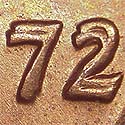
I did a bit of reading on the FAQ, so lets see also if this image of one of my Phantom S 1998 Cents will come up below if I use the IMG above. Thanks again, Ray Nope, that didn't work, so I guess I don't know how to use the IMG function correctly. I'll learn eventually. Ray
|
|
|
|
|
|
 Bob PSite Admin Bob PSite Admin
Posts: 3482
Joined: 01 Jul 2003
Location: Niceville, Florida
|
|
| Posted: Fri Dec 09, 2005 6:55 am |
|
|
Hi Raydar...Welcome to the forum. I believe I can help you out in both of your requests. If you want to add a photo next to your name (an avatar), and it is not in the galley here, you can send me the photo. I will edit it down to size, and place it in the gallery and add it to your profile.
As far as adding pics to your posts...If you place your cursor over the 'Img' box when posting a reply or adding a post, it will give you the format for doing so. You must ensure your pic is in web space that any computer can access. It can not pull pics from your computer. Basically, it will look something like this:
'[img]http://image-url[/url]'
Your actual command line will not have the ' marks as above. The image-url is the actual locations of where your picture is located (personal webspace etc.
If there is anything else we can do, let us know
_________________
Bob Piazza
Site Admin/Moderator
Attributer/Photographer
bobp@coppercoins.com
mustbebob1@gmail.com
|
|
|
|
|
|
|



