






Every cataloged die variety has its own page. You can open one from search results, the Date Guide, the Value Guide, or a link from another die. This guide walks through one die page section by section.
Page layout at a glance
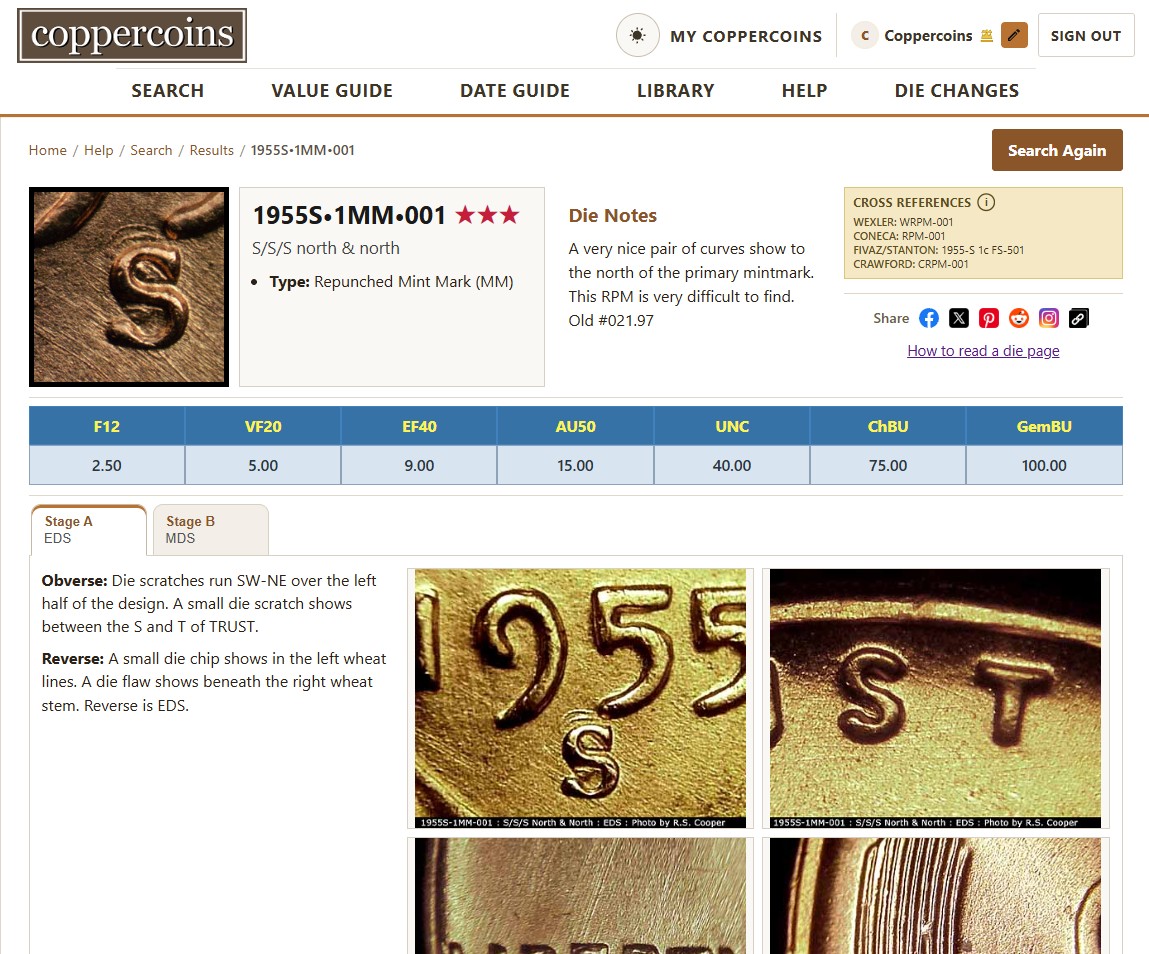
A die page has three main bands, top to bottom:
- Summary die number, place on 5-point visibility scale (star rating), classification, notes, and cross references, along with icon links to share on your favorite social media channels.
- Value guide catalog values by grade for coins matching the die featured on the page.
- Die stages tabs for each available stage, with markers and identification photos within each tab.
Scroll the whole page on mobile; on wider screens the summary row may show the preview coin image, facts, notes, and cross references side by side.
Summary section
Preview coin image

The small photo at the left (when present) is a preview image, a representative thumbnail of the die for "at-a-glance" pre-screen matching your coins. Using the grid view in search you can go through a lot of dies sorting out possible matches as you go along.
Die number and stars

The die number is the catalog ID for this die variety (year, mint, denomination, variety type, and sequence). A star rating (one to five stars) marks dies with a rating for relative visibility with five stars being the most obvious and one star being very minor.
Attribution facts
- Type the kind of die variety that is on the die (for example doubled die obverse, repunched mint mark).
- Proof shown as a 'P' suffix to the die number when the listing is for a proof strike.
- Class hub-doubling or mint mark direction of spread.
- Design type links to the design type page when the die belongs to a defined large-date / small-date (or similar) group for that year.
Die notes
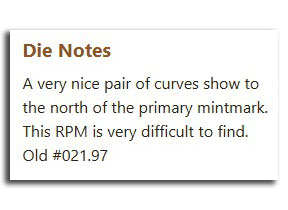
Editorial notes about the attributes of the die variety itself. Answers the question, "why is this die listed?" Includes basic information about where to look on the coin for the doubling for this die. Also notes very similar dies and whether another die variety exists on the same coin. If the die has been listed before as something else, note of that will be made in this section as well.
Cross references and social sharing
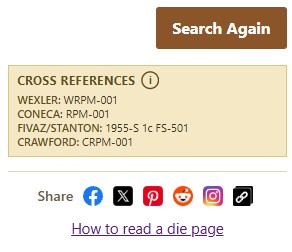
Lists the same die under other numbering systems (for example CONECA, Wexler, FS, or other legacy cross refs). Use these when you are matching a coin to a reference book or another catalog. A disclaimer icon explains how cross references should be used cautiously, as we cannot 100% guarantee accuracy.
Value guide

When values exist, a horizontal table shows catalog estimates by grade (for example G, VG, F, VF, EF, AU, and mint state grades unless proof, then proof grades). Hover or focus the value area to read the value guide disclaimer. These are reference figures, not buy/sell quotes.
If no values are on file, the section says No value guide on file. Some rare or newly listed dies may not have been priced yet.
Die stages
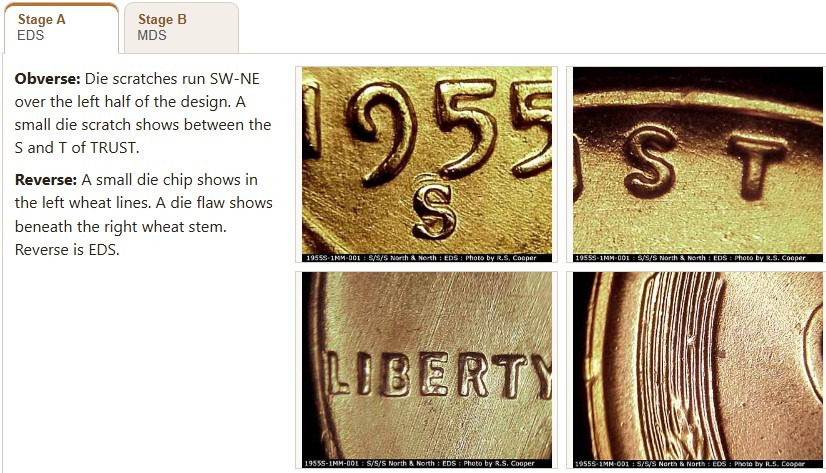
The lower half of the page is organized by die stage. Stages document steps in marker development on the die. Scratches, cracks, chips, and other features that repeat on successive strikes make up die markers.
Stage tabs
Each tab is labeled Stage A, Stage B, and so on, in chronological order. The small text under a tab may show die state (die wear code such as EDS or MDS). Die state describes how worn the die was at that point; it is related to, but not the same as, stage progression.
- Stage Beginning with the first strike from the die and ending upon retirement, a new stage is recognized when
- Die state Wear on the die (VEDS through VLDS on the spectrum from very early to very late die state).
Not every die has multiple stages. A simple variety may only need one or two stages, however most of the time when you only see that many, this means more information needs to be added to the die.
Markers and stage notes
Inside a stage tab, the left column explains what to look for:
- Caption bullets Short descriptions tied to the identification photos (newer catalog entries).
- Obverse / Reverse Legacy marker text when caption bullets are not on file.
- Stage notes Extra narrative at the top when editors added stage-specific commentary.
Identification images
Photos on the right show the markers for that stage. Roll over an image and its caption will highlight on the left side. Click an image to open the full-size viewer; use the arrows to move between images in the set. Images are catalog identification aids and are not licensed for copying.
When a file is missing on the server, the page shows Image file missing instead of a broken image.
Coin credit
When present below a stage, Credit for this coin goes to: names the contributor who supplied the photographed coin for that stage.
Getting back to search or the guide
When you arrived from search, a Search Again button may appear in the breadcrumb bar (top of the page). If you came from a Date Guide year, you may see Back to [year] instead. Breadcrumbs above the page also trace your path through major areas (Help, Search, Date Guide, and so on).
